




4
Free
SHAREit
Your all-in-one file sharing solution
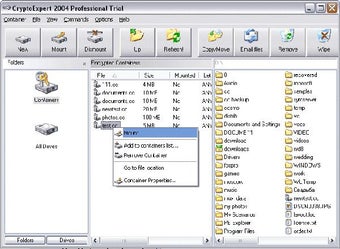
CryptoExpert creates encrypted virtual disks and these disks are visible as usual disks with drive letters (for example, G:, H:, Z:, i. e. with any drive letter that is not used by other system devices).
The data stored on a CryptoExpert disk is stored in the container file. A container is a file, so it is possible to back up a container, move or copy it to another disk (CD-ROM or network, for instance) and continue to access your encrypted data using CryptoExpert. Any free drive letter (or choosen letter) in the system may be used to mount and to open an encrypted file-container for access. When the virtual disk is opened, you can read and write data as if it were a conventional removable disk. You can do anything with a CryptoExpert virtual drive that you can do with a normal hard drive; only that with CryptoExpert, the encrypted volumes require password authentication before the files become accessible.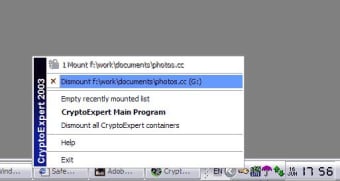
Free
Windows
Windows 8
English
1K
6.47 MB
Have you tried CryptoExpert 2011? Be the first to leave your opinion!
Add review
Sync your device to a PC

Emergency hard drive recovery for PCs

Streamline Your Workflow with ActiveWords

Create Figures from Source Code Easily

A free program for Windows, by Grijander Companies, LLC.
Scan your system and get rid of tracking components

Efficient Clipboard Management with Pasteboard
Optimize Your PC with My Faster PC

FastCalc: A Simple and Efficient Calculator

Efficient BitTorrent Client for Windows

Install the latest driver for HP xw8400
Optimize Your System with PCSuite Defrag